In the field of networking, the specialist area of network security consists of the provisions made in an underlying computer network infrastructure, policies adopted by the network administrator to protect the network and the network-accessible resources from unauthorized access, and consistent and continuous monitoring and measurement of its effectiveness (or lack) combined together.
The First Step to Information Security
The terms Network Security and Information Security are often used interchangeably. Network Security is generally taken as providing protection at the boundaries of an organization by keeping out intruders (hackers). Information Security, however, explicitly focuses on protecting data resources from malware attack or simple mistakes by people within an organization by use of Data Loss Prevention (DLP) techniques. One of these techniques is to compartmentalize large networks with internal boundaries. Employees have to cross these boundaries and be authenticated when attempting to access protected information.
Network security concepts
Network security starts from authenticating the user, commonly with a username and a password. Since this requires just one thing besides the user name, i.e. the password which is something you 'know', this is sometimes termed one factor authentication. With two factor authentication something you 'have' is also used (e.g. a security token or 'dongle', an ATM card, or your mobile phone), or with three factor authentication something you 'are' is also used (e.g. a fingerprint or retinal scan).
Once authenticated, a firewall enforces access policies such as what services are allowed to be accessed by the network users. Though effective to prevent unauthorized access, this component may fail to check potentially harmful content such as computer worms or Trojans being transmitted over the network. Anti-virus software or an intrusion prevention system (IPS) help detect and inhibit the action of such malware. An anomaly-based intrusion detection system may also monitor the network and traffic for unexpected (i.e. suspicious) content or behaviour and other anomalies to protect resources, e.g. from denial of service attacks or an employee accessing files at strange times. Individual events occurring on the network may be logged for audit purposes and for later high level analysis.
Communication between two hosts using the network could be encrypted to maintain privacy.
Honeypots, essentially decoy network-accessible resources, could be deployed in a network as surveillance and early-warning tools. Techniques used by the attackers that attempt to compromise these decoy resources are studied during and after an attack to keep an eye on new exploitation techniques. Such analysis could be used to further tighten security of the actual network being protected by the honeypot.
A useful summary of standard concepts and methods in network security is given by in the form of an extensible ontology of network security attacks.
Once authenticated, a firewall enforces access policies such as what services are allowed to be accessed by the network users. Though effective to prevent unauthorized access, this component may fail to check potentially harmful content such as computer worms or Trojans being transmitted over the network. Anti-virus software or an intrusion prevention system (IPS) help detect and inhibit the action of such malware. An anomaly-based intrusion detection system may also monitor the network and traffic for unexpected (i.e. suspicious) content or behaviour and other anomalies to protect resources, e.g. from denial of service attacks or an employee accessing files at strange times. Individual events occurring on the network may be logged for audit purposes and for later high level analysis.
Communication between two hosts using the network could be encrypted to maintain privacy.
Honeypots, essentially decoy network-accessible resources, could be deployed in a network as surveillance and early-warning tools. Techniques used by the attackers that attempt to compromise these decoy resources are studied during and after an attack to keep an eye on new exploitation techniques. Such analysis could be used to further tighten security of the actual network being protected by the honeypot.
A useful summary of standard concepts and methods in network security is given by in the form of an extensible ontology of network security attacks.
Security management
Security Management for networks is different for all kinds of situations. A small home or an office would only require basic security while large businesses will require high maintenance and advanced software and hardware to prevent malicious attacks from hacking and spamming
Small homes
A basic firewall like COMODO Internet Security or a unified threat  management system.
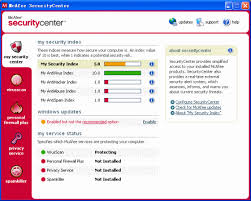
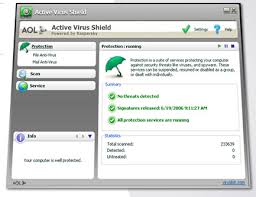
For Windows users, basic Antivirus software like AVG Antivirus, ESET NOD32 Antivirus,Kaspersky, McAfee, or Norton AntiVirus. An anti-spyware program such as Windows Defender or Spybot would also be a good idea. There are many other types of antivirus or anti-spyware programs out there to be considered.
When using a wireless connection, use a robust password. Also try to use the strongest security supported by your wireless devices, such as WPA or WPA2.
If using Wireless: Change the default SSID network name, also disable SSID Broadcast; as this function is unnecessary for home use.
Enable MAC Address filtering to keep track of all home network MAC devices connecting to your router.
Assign STATIC IP addresses to network devices.
Disable ICMP ping on router.
Review router or firewall logs to help identify abnormal network connections or traffic to the Internet.
Use passwords for all accounts.
Have multiple accounts per family member, using non-administrative accounts for day-to-day activities. Disable the guest account (Control Panel> Administrative Tools> Computer Management> Users).
Raise awareness about information security to children.
 management system.
For Windows users, basic Antivirus software like AVG Antivirus, ESET NOD32 Antivirus,Kaspersky, McAfee, or Norton AntiVirus. An anti-spyware program such as Windows Defender or Spybot would also be a good idea. There are many other types of antivirus or anti-spyware programs out there to be considered.
When using a wireless connection, use a robust password. Also try to use the strongest security supported by your wireless devices, such as WPA or WPA2.
If using Wireless: Change the default SSID network name, also disable SSID Broadcast; as this function is unnecessary for home use.
Enable MAC Address filtering to keep track of all home network MAC devices connecting to your router.
Assign STATIC IP addresses to network devices.
Disable ICMP ping on router.
Review router or firewall logs to help identify abnormal network connections or traffic to the Internet.
Use passwords for all accounts.
Have multiple accounts per family member, using non-administrative accounts for day-to-day activities. Disable the guest account (Control Panel> Administrative Tools> Computer Management> Users).
Raise awareness about information security to children.
Medium businesses
A fairly strong firewall or Unified Threat Management System
Strong Antivirus software and Internet Security Software.
For authentication, use strong passwords and change it on a bi-weekly/monthly basis.
When using a wireless connection, use a robust password.
Raise awareness about physical security to employees.
Use an optional network analyzer or network monitor.
An enlightened administrator or manager
Strong Antivirus software and Internet Security Software.
For authentication, use strong passwords and change it on a bi-weekly/monthly basis.
When using a wireless connection, use a robust password.
Raise awareness about physical security to employees.
Use an optional network analyzer or network monitor.
An enlightened administrator or manager
Large businesses
strong firewall and proxy to keep unwanted people out.
A strong Antivirus software package and Internet Security Software package.
For authentication, use strong passwords and change it on a weekly/bi-weekly basis.
When using a wireless connection, use a robust password.
Exercise physical security precautions to employees.
Prepare a network analyzer or network monitor and use it when needed.
Implement physical security management like closed circuit television for entry areas and restricted zones.
Security fencing to mark the company's perimeter.
Fire extinguishers for fire-sensitive areas like server rooms and security rooms.
Security guards can help to maximize security
A strong Antivirus software package and Internet Security Software package.
For authentication, use strong passwords and change it on a weekly/bi-weekly basis.
When using a wireless connection, use a robust password.
Exercise physical security precautions to employees.
Prepare a network analyzer or network monitor and use it when needed.
Implement physical security management like closed circuit television for entry areas and restricted zones.
Security fencing to mark the company's perimeter.
Fire extinguishers for fire-sensitive areas like server rooms and security rooms.
Security guards can help to maximize security
School
an adjustable firewall and proxy to allow authorized users access from the outside and inside.
Strong Antivirus software and Internet Security Software packages.
Wireless connections that lead to firewalls.
Children's Internet Protection Act compliance.
Supervision of network to guarantee updates and changes based on popular site usage.
Constant supervision by teachers, librarians, and administrators to guarantee protection against attacks by both internet and sneakernet sources.
Strong Antivirus software and Internet Security Software packages.
Wireless connections that lead to firewalls.
Children's Internet Protection Act compliance.
Supervision of network to guarantee updates and changes based on popular site usage.
Constant supervision by teachers, librarians, and administrators to guarantee protection against attacks by both internet and sneakernet sources.
Large Government
A strong firewall and proxy to keep unwanted people out.
Strong Antivirus software and Internet Security Software suites.
Strong encryption.
Whitelist authorized wireless connection, block all else.
All network hardware is in secure zones.
All host should be on a private network that is invisible from the outside.
Put web servers in a DMZ, or a firewall from the outside and from the inside.
Security fencing to mark perimeter and set wireless range to this.
Strong Antivirus software and Internet Security Software suites.
Strong encryption.
Whitelist authorized wireless connection, block all else.
All network hardware is in secure zones.
All host should be on a private network that is invisible from the outside.
Put web servers in a DMZ, or a firewall from the outside and from the inside.
Security fencing to mark perimeter and set wireless range to this.


